hyperMILL® 2026 CAD/CAM software
Program faster, machine more efficiently.
hyperMILL® 2026 delivers the next step in intelligent CAD/CAM programming, combining powerful automation with enhanced 5-axis and turning capabilities. New algorithms, optimized toolpaths and rest-material strategies, while improved orientation control simplifies programming of complex multi-axis parts. Expanded VIRTUAL Machining simulation with digital twins increases process reliability before machining begins.
Together with smarter job management and optimized workflows, hyperMILL® 2026 helps manufacturers program faster, machine more efficiently, and achieve higher precision and surface quality across demanding production environments.

Webinar: Release Highlights
Would you like to program more effectively and get the best out of your machine?
Then take this opportunity to deepen your hyperMILL® know-how!
We have compiled exciting information about our new features and improvements to existing functions for you. Don't miss this webinar with a preview of the upcoming hyperMILL® 2026 version.

Brochure

Version 2026
CAD/CAM software hyperMILL®.
Current version
hyperMILL® 2026 | Update 2
CAD
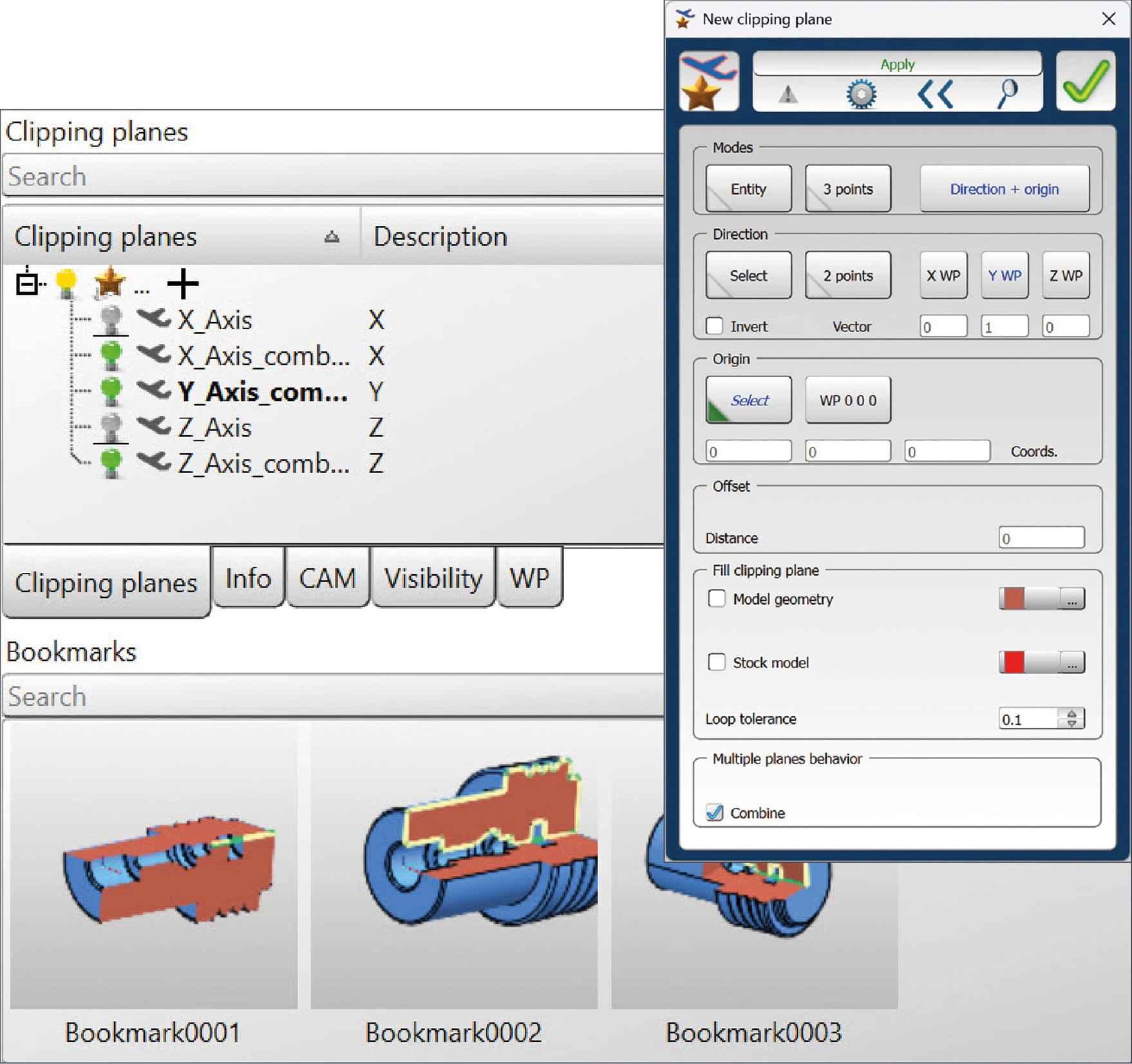
New clipping management
The management of section views has been fundamentally revised. All commands from the former “View – Cut Level” menu are now grouped together under the new “Cut Views” tab. All clippings can be managed centrally via a context menu under this tab. Functions are available for creating, editing, deleting, inverting direction, renaming, setting to current, and exclusively activating individual cut levels.
The “New” and “Edit” commands also allow you to combine the behavior of multiple clipping planes. You can use the buttons in the tab to enable or disable individual clippings. Defined settings can then be saved as bookmarks.
Benefit: Clear and flexible management of different cutting levels.
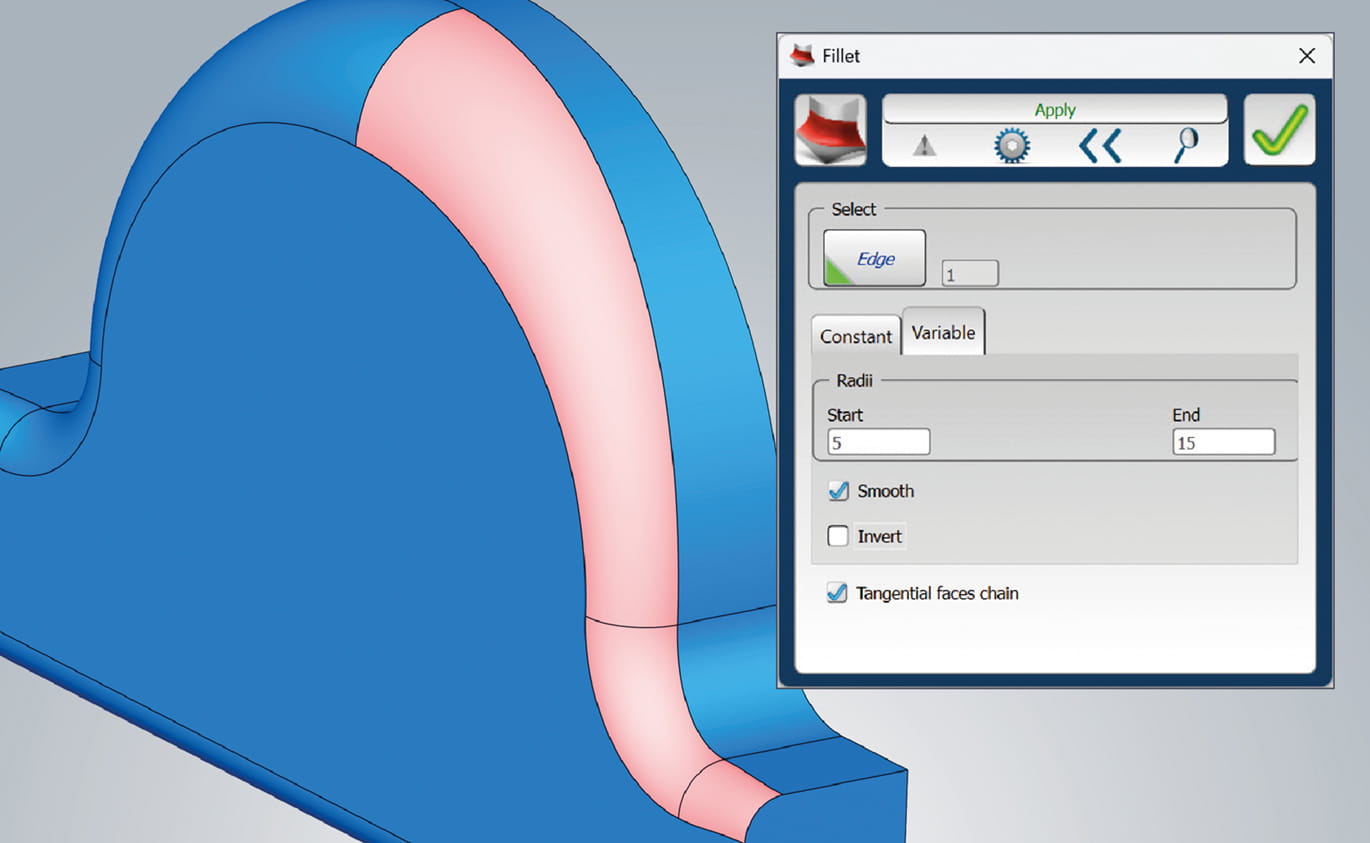
Variable Fillet
The “Fillet” feature has been expanded to include the new “Variable” option. This allows you to create fillets with different start and end radii directly on a solid. The “Smooth” and “Invert” options are also available. The “Smooth” function ensures clean tangents at the beginning and end of the fillet, which is particularly important when mirroring components.
Variable rounding allows you to create radii without trimming surfaces and can be created associatively, so that subsequent changes can be made at any time.
Benefit: Easy creation of flexible, associative fillets with freely definable, variable radii.
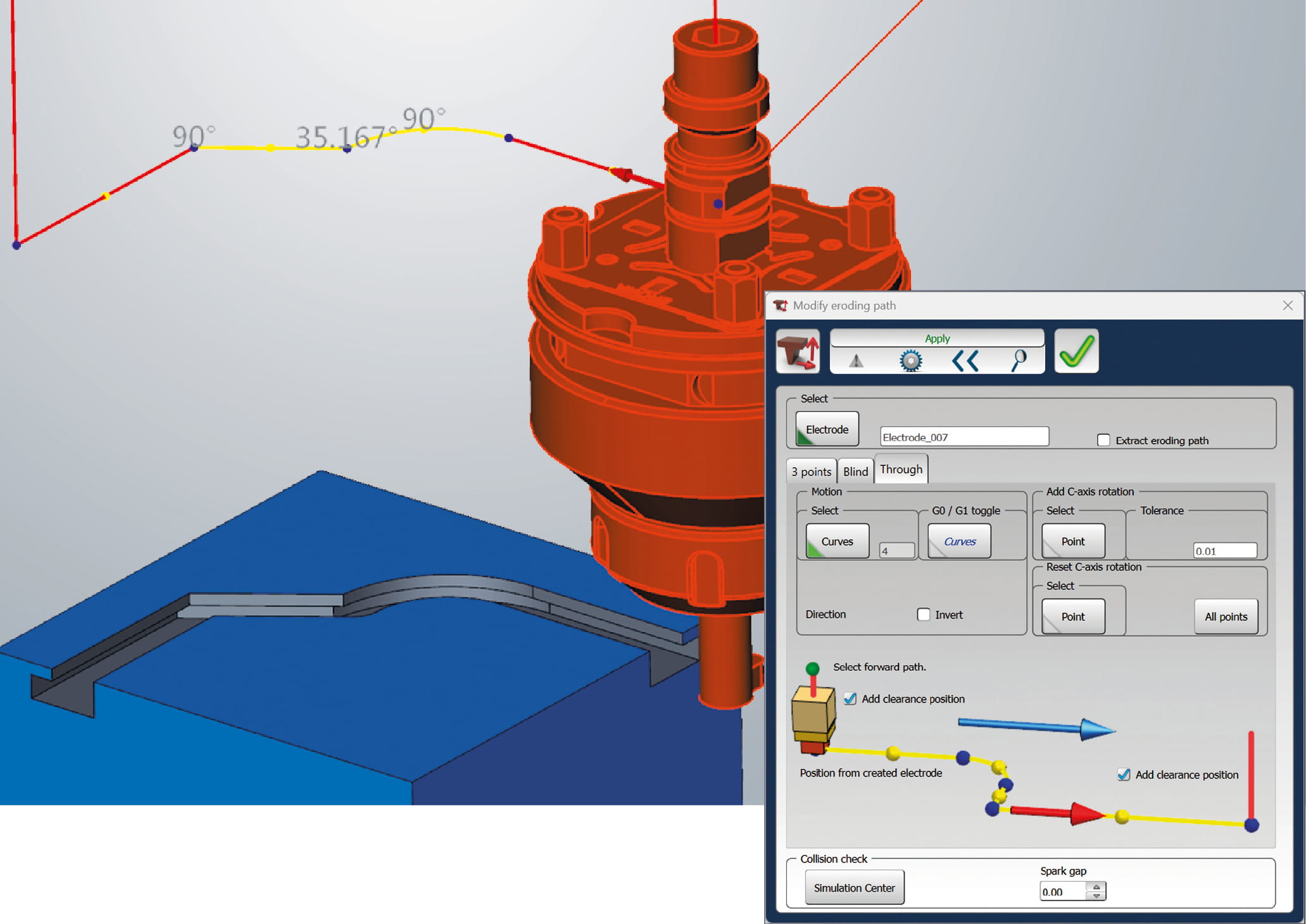
Optimized control of erosion paths
With hyperMILL® Electrode, you can now define feed movements (G1) or rapid movements (G0) in a targeted manner. Whereas previously the entire eroding path was executed uniformly as G1, individual curve sections can now be selected directly and assigned accordingly. Switching between G0 (red) and G1 (yellow) is intuitive and is correctly taken into account both when outputting the 3D path to the EDM machine and in the hyperMILL® SIMULATION Center.
If necessary, you can also deactivate the automatically generated free movements for approach and departure movements. This prevents incorrect program outputs and ensures that existing erosion paths remain fully compatible.
Benefit: Reduced machining times through feedrate control on the eroding toolpath.
New shape: Cuboid
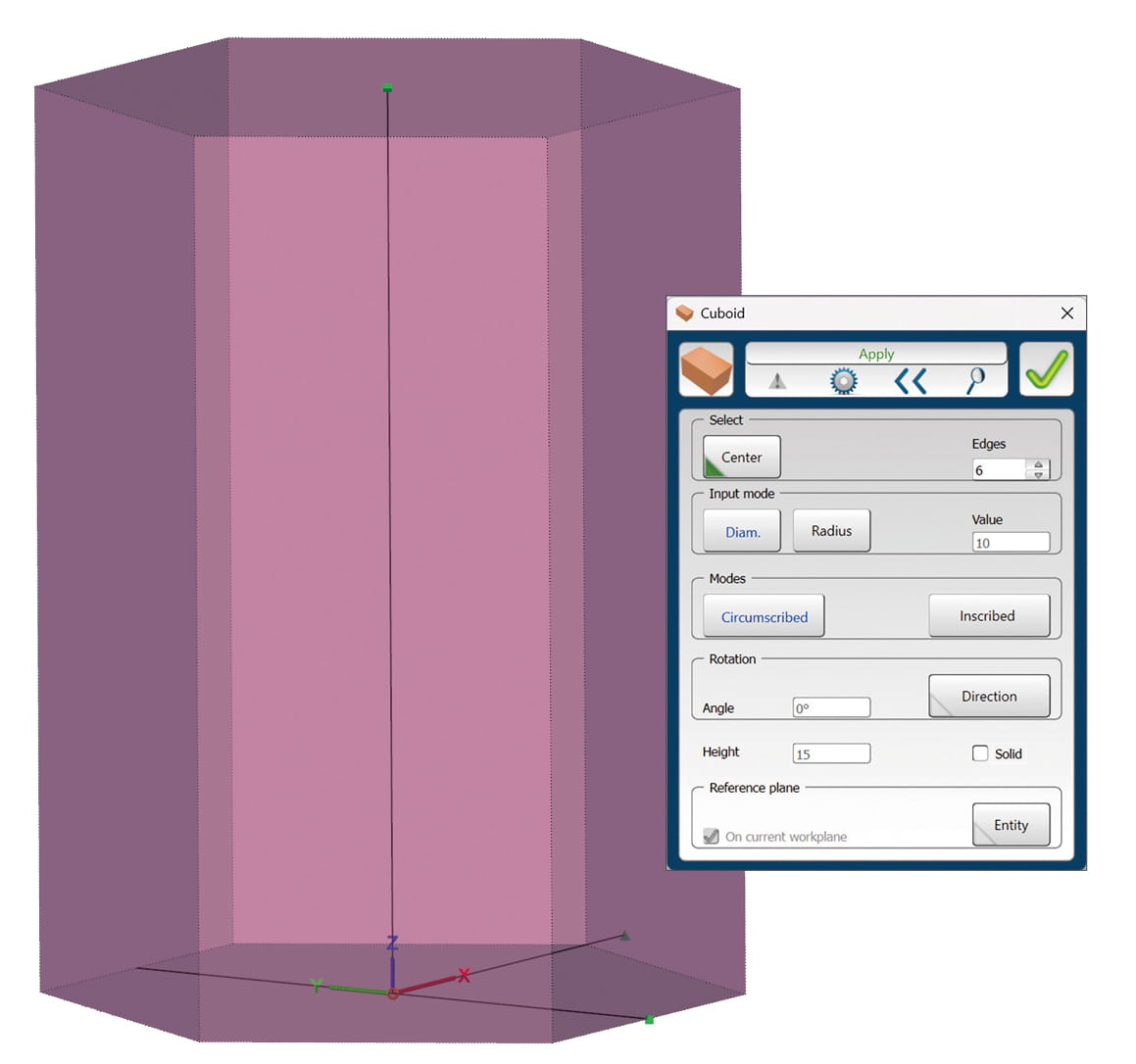
In hyperMILL® 2026, another geometry is available under Shapes. With the new command for creating cuboids, you can quickly and precisely define cuboid geometries. These are easily created using the center point, number of edges, dimensions, and orientation. Optionally, you can create a cuboid directly as a solid.
Benefit: Significantly faster and more flexible creation of rectangular geometries.
Curious about the new features in hyperMILL®?
See what they can do for your manufacturing operations in a live demo.

CAM
Sorting Job
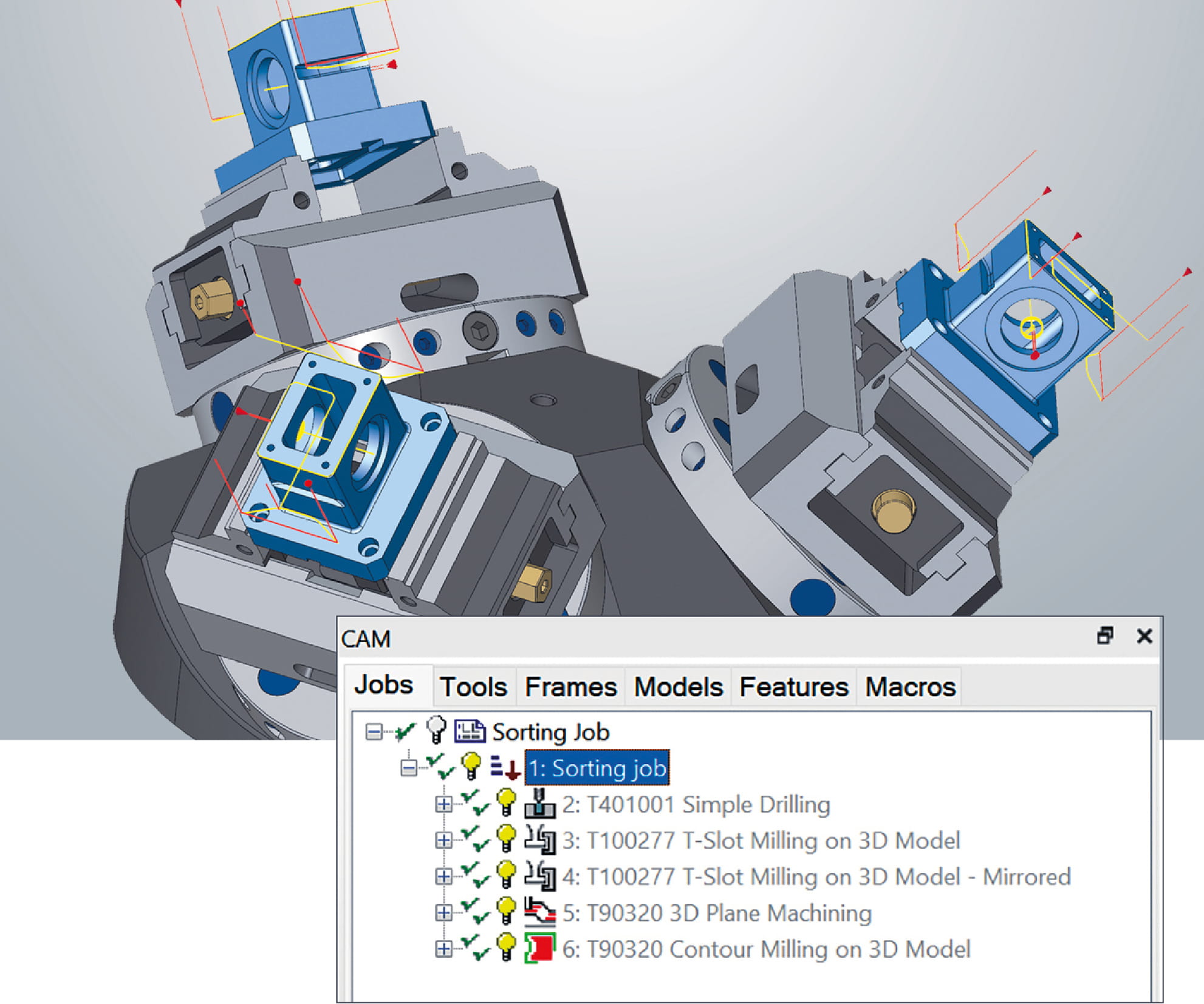
With the new “Sorting Job,” you can use hyperMILL® to transform complete machining sequences from different jobs and tools in a targeted manner while maintaining the desired sequence. The Sorting job applies sorting and transformation logic to the entire machining sequence contained therein. Milling and drilling operations are taken into account together and rearranged across multiple tool and job type changes. You can use any number of different tools within a sort job. This allows you to efficiently structure complex job lists without having to break down or rebuild existing machining logic.
Benefit: Flexible transformation of complete machining sequences with different tools and job types.
2D Hale Machining*
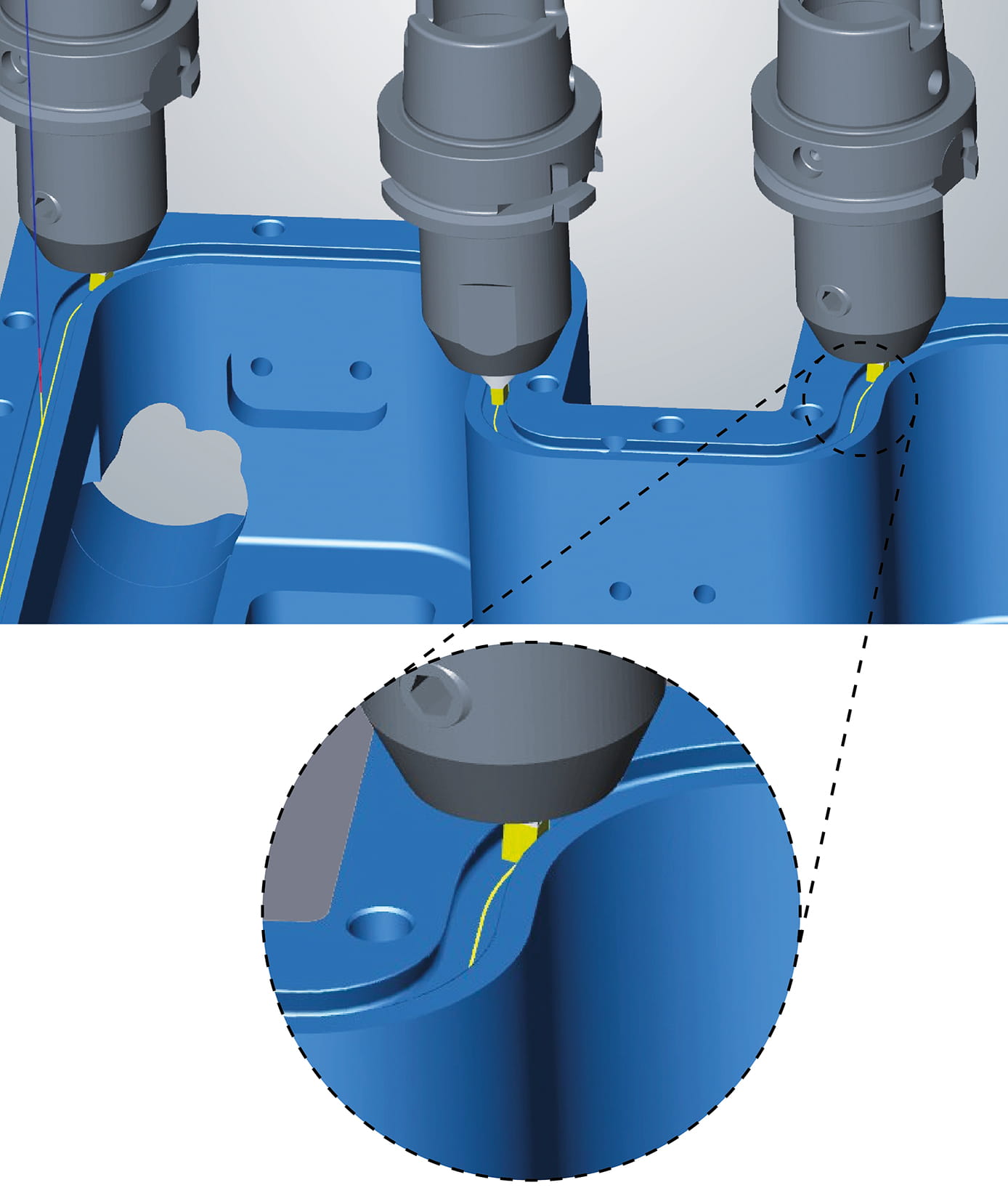
The new “Hale Machining” strategy offers you a specialized machining process for component areas with high surface quality requirements. It is used, for example, to produce sealing surfaces with a scratch-free finish. For certain applications, it can also be an economical alternative to conventional milling processes.
Material removal takes place without active spindle speed. The spindle axis is programmed to allow the tool edge to be continuously aligned with the contour. Programming in hyperMILL® is similar to 2D Contour Machining.
A special tool type is available for machining. The tool and tool holder are defined in hyperMILL® TOOL Builder and must be created at the correct angle. With hyperMILL® VIRTUAL Machining, you can reliably simulate and check the entire process for collisions.
Benefit: Perfect surfaces without processing marks across the sealing direction.
*Currently available for machines with Siemens controls. Additional controls will follow with the next software updates.
Not included in maintenance
3D Automatic Rest Machining
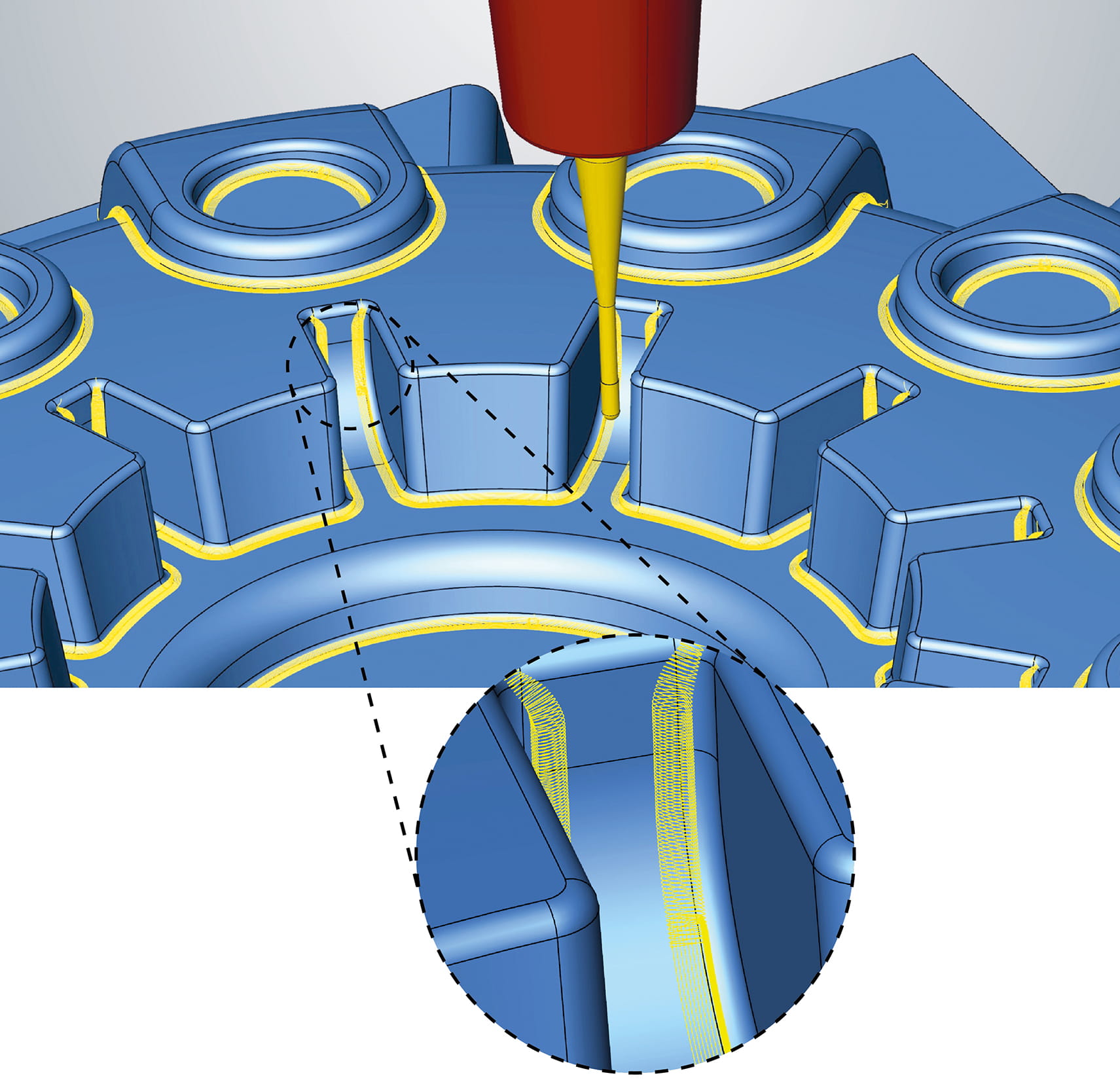
The calculation algorithms for the three machining strategies “Z level”, “Parallel”, and “Normal” have been redesigned to make the machining of rest material areas even more reliable and efficient. This allows rest material areas to be detected much more precisely and machined with clearance. Feed specifications are reliably taken into account, resulting in more uniform toolpaths and more stable machining processes. In addition, a smooth overlap is automatically integrated at all relevant points, both on steep and flat surfaces as well as at transitions, during entry and exit movements, and in closed loop toolpath motions.
Benefit: Improved Rest Machining with optimized toolpaths and smooth transitions.
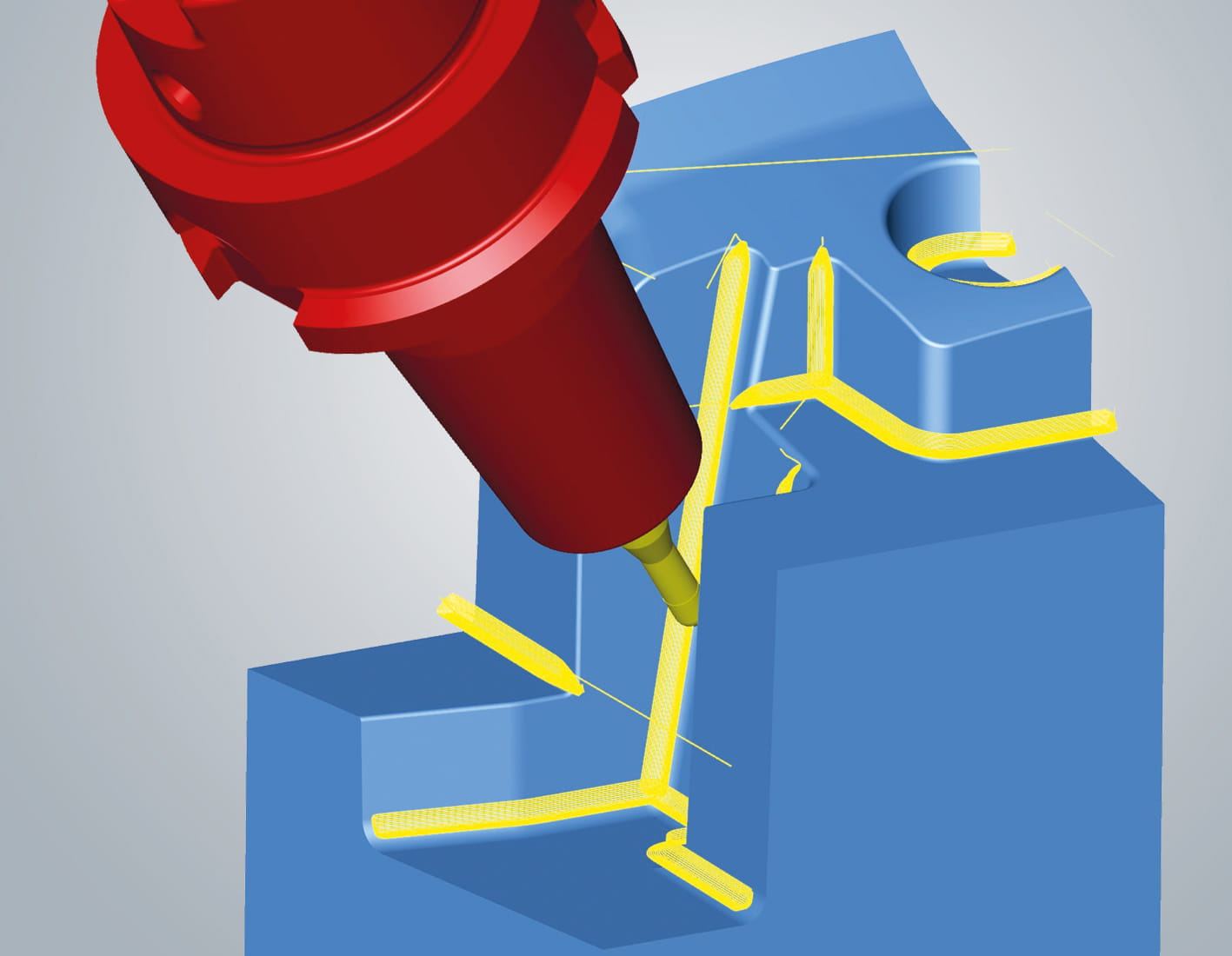
5-axis Rest Machining
The strategy has been completely redesigned and, as with 3-axis machining, offers new calculation algorithms for the three machining strategies “Z level”, “Parallel”, and “Normal”. The improvements ensure more precise and reliable detection and machining of rest material.
The cutter orientation determination for 5-axis machining has been significantly optimized. Fixed orientation is preferred, which reduces machining time and improves surface quality. At the same time, improved collision avoidance ensures smoother 5-axis simultaneous movements. The new “Minimum clearance angle” option gives you even more tool control.
Benefit: More efficient and higher-quality 5-axis Rest Machining with optimized toolpaths and perfect tool settings.
5-axis Automatic Mode
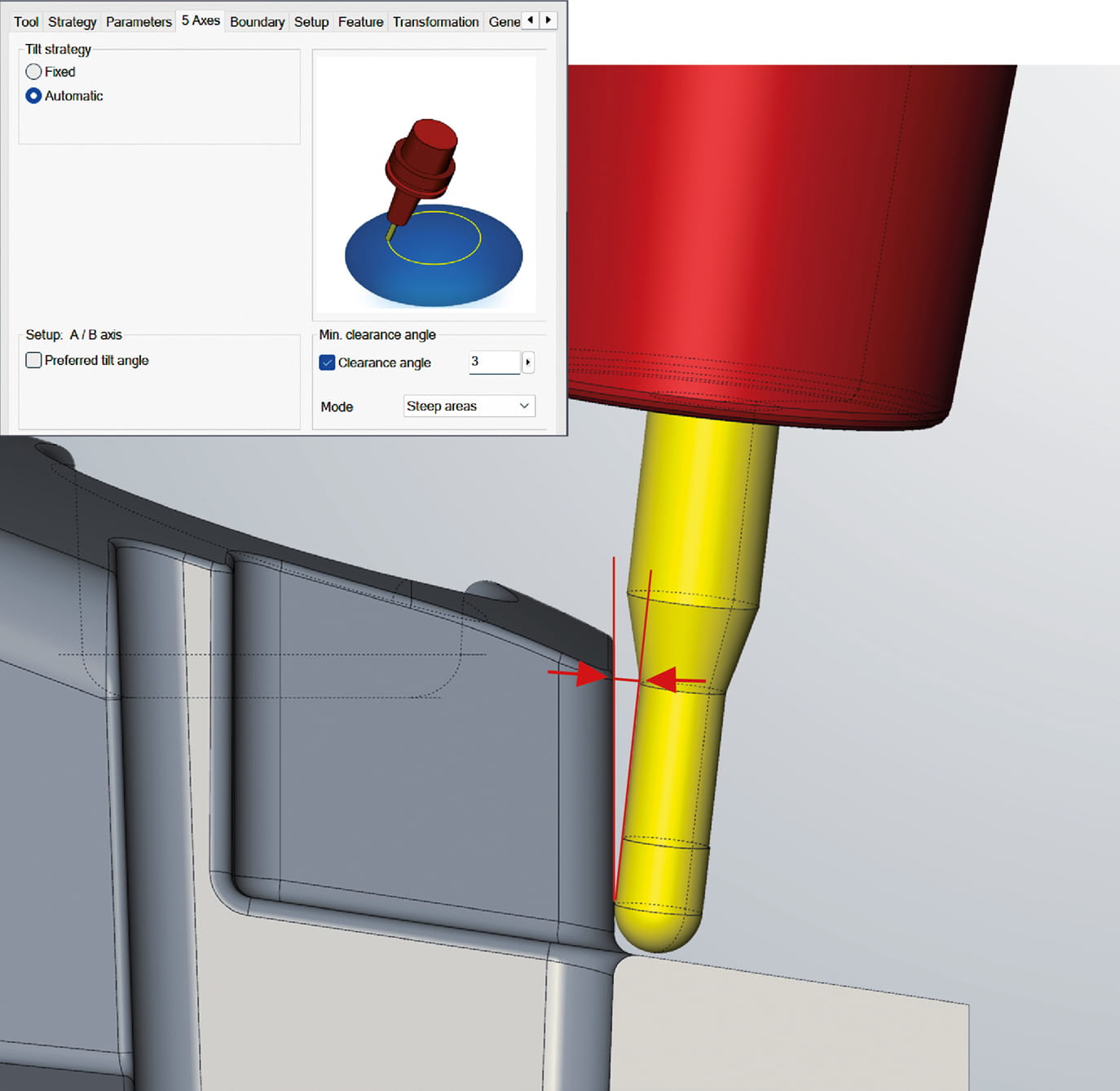
The 5-axis automatic mode makes it much easier to program complex 5-axis machining operations and significantly reduces the amount of programming required. Based on a preliminary analysis of the entire toolpath, hyperMILL® automatically determines the optimal tool positions and uses indexed and simultaneous movements in a targeted and efficient manner.
hyperMILL® 2026 offers you the new option “Minimum clearance angle.” This allows you to specify a minimum distance between the tool shank and the component. This value is consistently taken into account when searching for the cutter orientation angle so that the tool shank maintains a defined clearance distance from the component during machining.
The 5-axis automatic mode is available in the following strategies:
- 5-axis Rest Machining
- 5-axis Profile Finishing
- 5-axis ISO Machining
- 5-axis Rework
Benefit: Simple and reliable 5-axis programming with automatic orientation search and defined clearance angle between tool shank and component.
hyperMILL® TURNING – Support for complex turrets
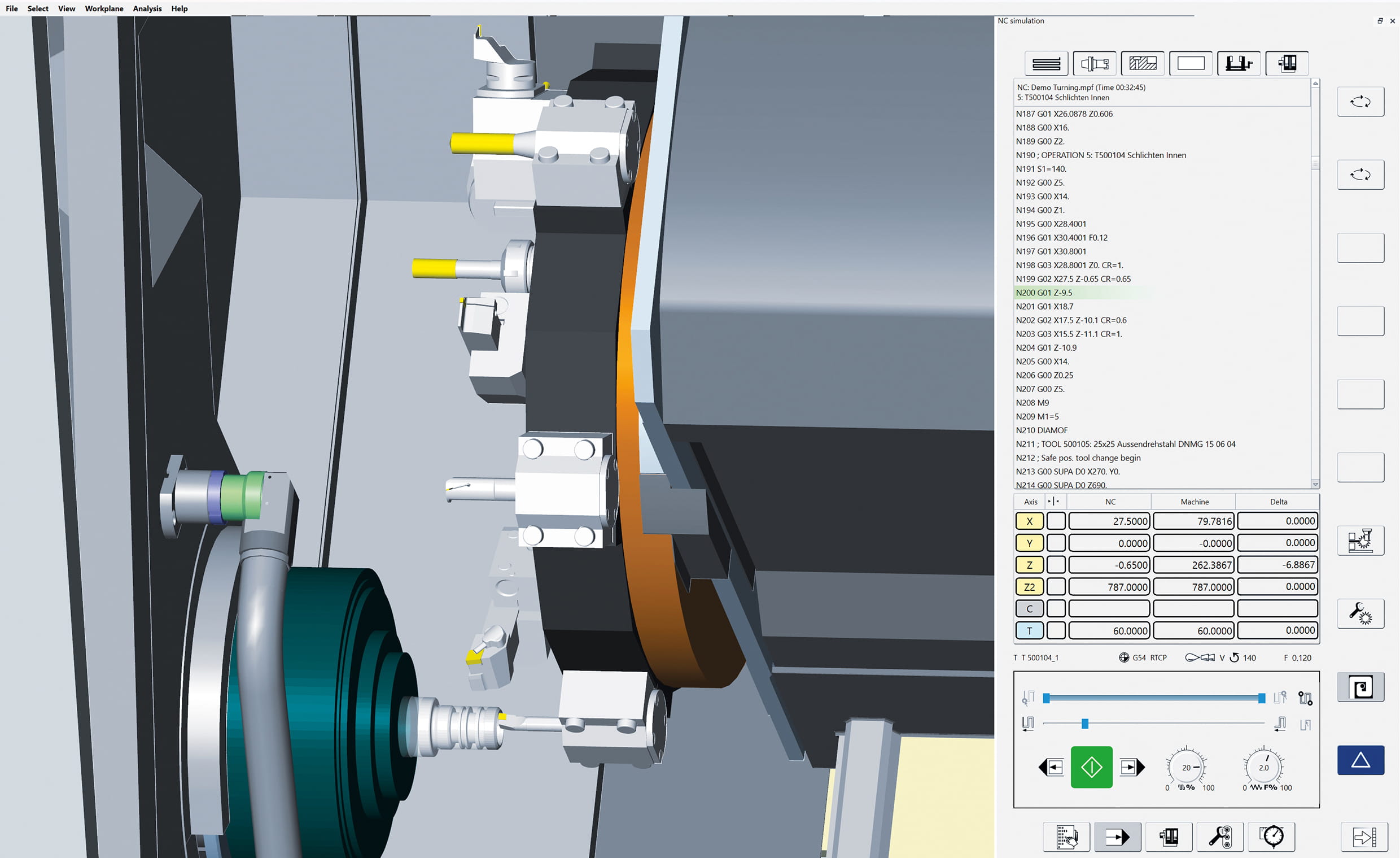
Support for turret configurations has been consistently expanded in hyperMILL® VIRTUAL Machining for the 2026 version. In addition to proven axial and radial turret types, complex turrets with mixed axial and radial station alignment are now also fully mapped within a single turret. Each station can be individually equipped with holders and tools. Simulation and collision checking are taken into account realistically and consistently.
Benefit: Safe simulation and reliable collision checking even with complex turret configurations.
TECHNOLOGY
hyperMILL® VIRTUAL Machining – Angle head support
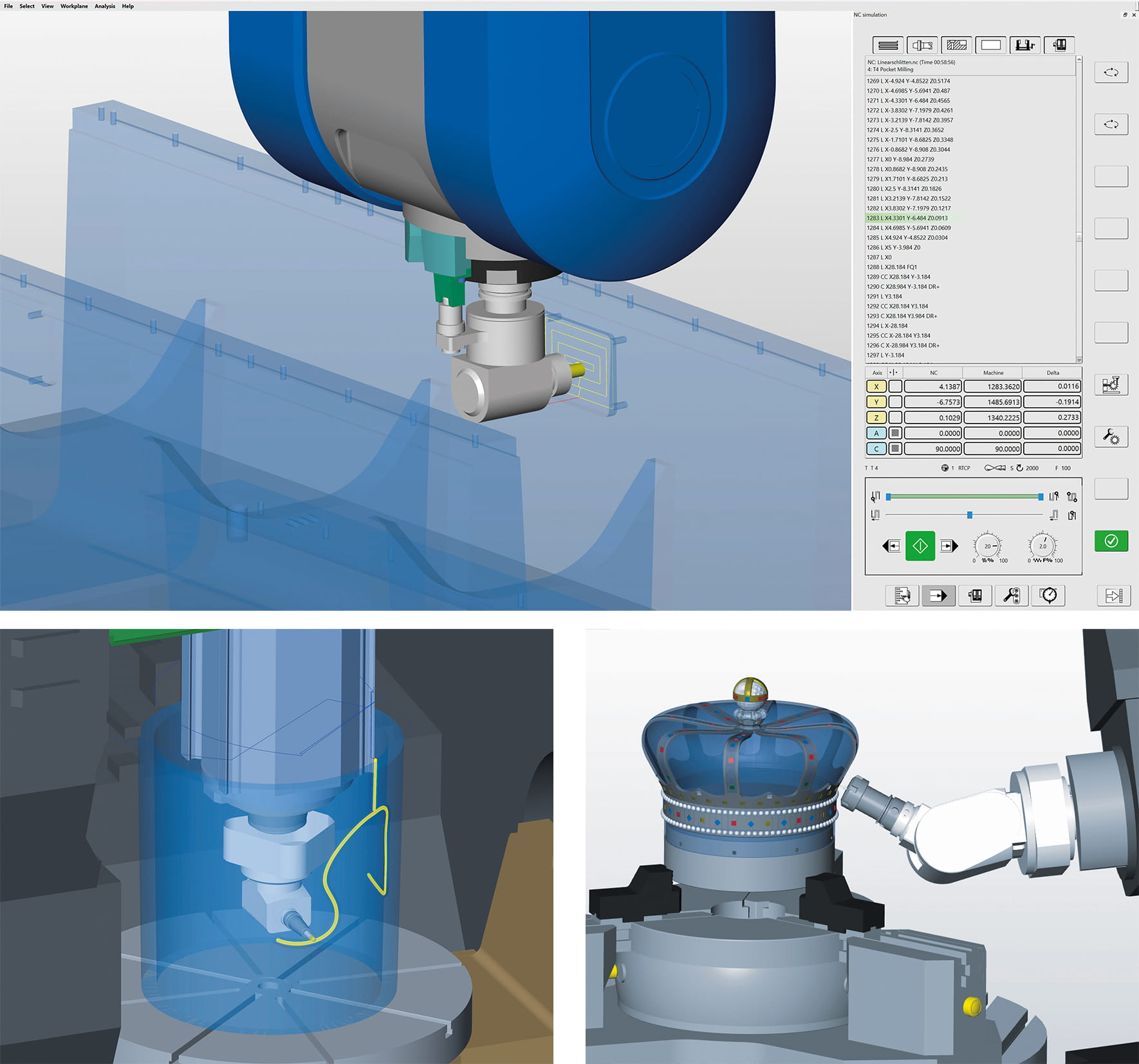
With the angle head support* in hyperMILL® and hyperMILL® VIRTUAL Machining, angle heads can be seamlessly integrated into CAM programming. The angle head is defined as part of the NC tool and configured using the hyperMILL® TOOL Builder. The virtual machine consistently takes angle heads into account during NC code generation, toolpath optimization, simulation, and collision checking. Even critical phases such as the approach and retract of the angle head are simulated completely and reliably.
The hyperMILL® Optimizer automatically determines optimal approach solutions for angle head machining. Approaching via a curve also allows hard-to-reach areas of the component to be reached safely with clearance.
Machining jobs with and without angle heads can be flexibly combined within a job list. Machine kinematics with nutating heads are also supported. The function is initially available for Siemens (SINUMERIK 840D) and Heidenhain controls.
Benefit: Secure programming and verification of angle head machining operations.
*not included in maintenance
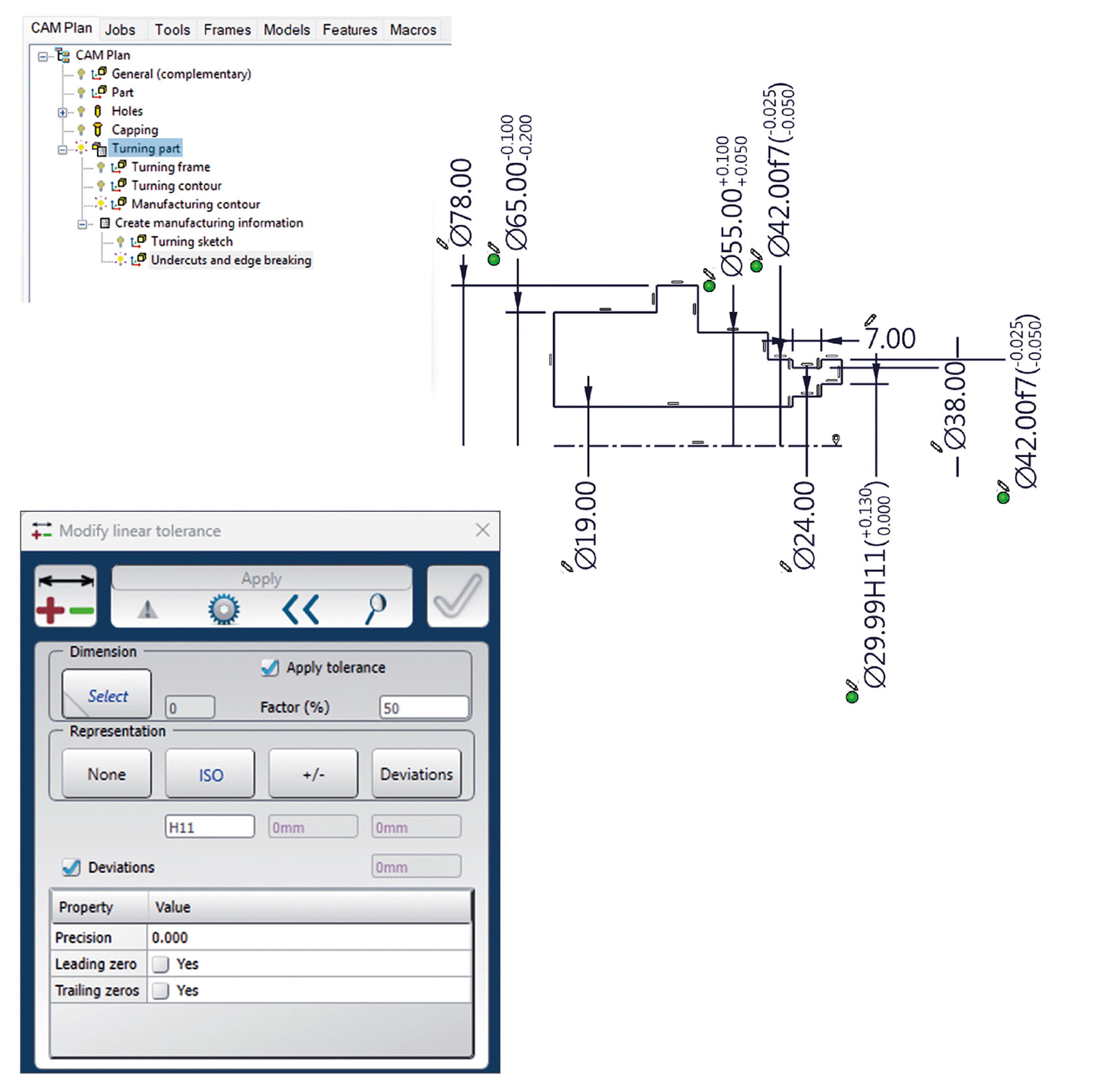
CAM Plan Turning
With the CAM Plan Turning module, hyperMILL® offers you comprehensive programming support for turned and mill-turned components. Often, only geometries without tolerances, fits, or manufacturing information are available for turning programming. Until now, these had to be added manually—a time-consuming and error-prone process. CAM Plan Turning enables you to quickly and consistently enrich turning contours with all relevant manufacturing information. This results in standardized and reusable processes for turning and mill-turn components.
Two templates are available for different requirements. “Turning” is intended for classic turned parts with minimal milling. “Milling and Turning” is ideal for complex milled and turned parts and optionally integrates milling, deburring, and Rest Machining. Based on this, the CAM Plan automatically generates production-ready contours, recognizes turning features, and provides the necessary machining areas for NC programming.
Benefit: Significantly reduced programming time and increased process reliability thanks to standardized turning contours with integrated manufacturing information.